STA5092Z EDA Lecture 5-6

EDA Lecture 5-6 - Checking your data - Checklist

  • Formulate your question
  • Check your data
  • Automate your project workflow

Workflow - scripts/projects

  • Do not let R to auto save your workspace, go to options in Rstudio, set “save workspace to .RData on exit” option to “never”. This will enforce you to record every step you take while dealing with data and analysis.
  • Create an RStudio project for each data analysis project.
  • Keep data files there.
  • Write your R scripts in an R markdown file. Keep scripts there.
  • Start your script with the packages that you need.
  • Do not include install.packages code in a script you share.
  • Save your outputs (plots and cleaned data) there.
  • Only ever use relative paths, not absolute paths. Because they hinder sharing: no one else will have exactly the same directory configuration as you.
  • DO NOT PRINT EVERYTHING!!!
  • R Studio projects keep all your files in a specified folder, data, output, Rmd or R files, etc.
  • When you shut down R, you can easily go to your specified folder and open .Rproj file and all your work will be together.
  • For graphics, you can print your plots in separate pdf files with ggsave() function and all will be saved in your project folder.

We will go through these using the Boston, Ames, World Happiness Datasets. Before moving on, we will look at the code chunk options:

  • echo: Show (TRUE) or hide (FALSE) the source code in output,
  • eval: Execute (TRUE) or skip (FALSE) the code,
  • include: Include both code and output in the rendered document (FALSE hides both),
  • warning: Show (TRUE) or suppress (FALSE) warnings,
  • message: Show (TRUE) or suppress (FALSE) messages,
  • results: “markup” (default), “asis”, “hide”, “hold”. Controls how results are displayed,
  • cache: Cache results for faster re-rendering,
  • error: Show errors in output (TRUE) or stop rendering (FALSE).

Libraries

if (!require("pacman")) install.packages("pacman")
Loading required package: pacman
pacman::p_load(here, data.table, purrrlyr, reshape2,   
               tidyverse,  flextable, SmartEDA, DataExplorer, DT,
               inspectdf, lubridate, janitor, forcats, 
               fastDummies, units, tsibble, feasts, fable,
               tmap, tmaptools, mapdeck, leaflet, leafgl, 
               rgeoda, osmdata,
               exactextractr, geomerge, hereR, ggmap,
               kableExtra, knitr,
               colourvalues, viridis,
               readxl, rio, fst,
               tictoc, beepr, 
               ggfortify, gganimate,
               grateful)

Boston Dataset

1) Read in your data:

boston <- read.csv("C:/Users/01438475/OneDrive - University of Cape Town/UCTcourses/DataScience/LectureNotes/EDA/boston.csv")

2) Run str() or glimpse()

str(boston)
'data.frame':   506 obs. of  13 variables:
 $ crim   : num  0.00632 0.02731 0.02729 0.03237 0.06905 ...
 $ zn     : num  18 0 0 0 0 0 12.5 12.5 12.5 12.5 ...
 $ indus  : num  2.31 7.07 7.07 2.18 2.18 2.18 7.87 7.87 7.87 7.87 ...
 $ chas   : int  0 0 0 0 0 0 0 0 0 0 ...
 $ nox    : num  0.538 0.469 0.469 0.458 0.458 0.458 0.524 0.524 0.524 0.524 ...
 $ rm     : num  6.58 6.42 7.18 7 7.15 ...
 $ age    : num  65.2 78.9 61.1 45.8 54.2 58.7 66.6 96.1 100 85.9 ...
 $ dis    : num  4.09 4.97 4.97 6.06 6.06 ...
 $ rad    : int  1 2 2 3 3 3 5 5 5 5 ...
 $ tax    : int  296 242 242 222 222 222 311 311 311 311 ...
 $ ptratio: num  15.3 17.8 17.8 18.7 18.7 18.7 15.2 15.2 15.2 15.2 ...
 $ lstat  : num  4.98 9.14 4.03 2.94 5.33 ...
 $ medv   : num  24 21.6 34.7 33.4 36.2 28.7 22.9 27.1 16.5 18.9 ...
glimpse(boston)
Rows: 506
Columns: 13
$ crim    <dbl> 0.00632, 0.02731, 0.02729, 0.03237, 0.06905, 0.02985, 0.08829,…
$ zn      <dbl> 18.0, 0.0, 0.0, 0.0, 0.0, 0.0, 12.5, 12.5, 12.5, 12.5, 12.5, 1…
$ indus   <dbl> 2.31, 7.07, 7.07, 2.18, 2.18, 2.18, 7.87, 7.87, 7.87, 7.87, 7.…
$ chas    <int> 0, 0, 0, 0, 0, 0, 0, 0, 0, 0, 0, 0, 0, 0, 0, 0, 0, 0, 0, 0, 0,…
$ nox     <dbl> 0.538, 0.469, 0.469, 0.458, 0.458, 0.458, 0.524, 0.524, 0.524,…
$ rm      <dbl> 6.575, 6.421, 7.185, 6.998, 7.147, 6.430, 6.012, 6.172, 5.631,…
$ age     <dbl> 65.2, 78.9, 61.1, 45.8, 54.2, 58.7, 66.6, 96.1, 100.0, 85.9, 9…
$ dis     <dbl> 4.0900, 4.9671, 4.9671, 6.0622, 6.0622, 6.0622, 5.5605, 5.9505…
$ rad     <int> 1, 2, 2, 3, 3, 3, 5, 5, 5, 5, 5, 5, 5, 4, 4, 4, 4, 4, 4, 4, 4,…
$ tax     <int> 296, 242, 242, 222, 222, 222, 311, 311, 311, 311, 311, 311, 31…
$ ptratio <dbl> 15.3, 17.8, 17.8, 18.7, 18.7, 18.7, 15.2, 15.2, 15.2, 15.2, 15…
$ lstat   <dbl> 4.98, 9.14, 4.03, 2.94, 5.33, 5.21, 12.43, 19.15, 29.93, 17.10…
$ medv    <dbl> 24.0, 21.6, 34.7, 33.4, 36.2, 28.7, 22.9, 27.1, 16.5, 18.9, 15…
3) Look at the top and the bottom of your data, does that make sense? Any rows appearing as NAs by mistake?

head(boston, 3)
     crim zn indus chas   nox    rm  age    dis rad tax ptratio lstat medv
1 0.00632 18  2.31    0 0.538 6.575 65.2 4.0900   1 296    15.3  4.98 24.0
2 0.02731  0  7.07    0 0.469 6.421 78.9 4.9671   2 242    17.8  9.14 21.6
3 0.02729  0  7.07    0 0.469 7.185 61.1 4.9671   2 242    17.8  4.03 34.7
tail(boston, 3)
       crim zn indus chas   nox    rm  age    dis rad tax ptratio lstat medv
504 0.06076  0 11.93    0 0.573 6.976 91.0 2.1675   1 273      21  5.64 23.9
505 0.10959  0 11.93    0 0.573 6.794 89.3 2.3889   1 273      21  6.48 22.0
506 0.04741  0 11.93    0 0.573 6.030 80.8 2.5050   1 273      21  7.88 11.9

4) Did you check the total number of observations? n

dim(boston)
[1] 506  13

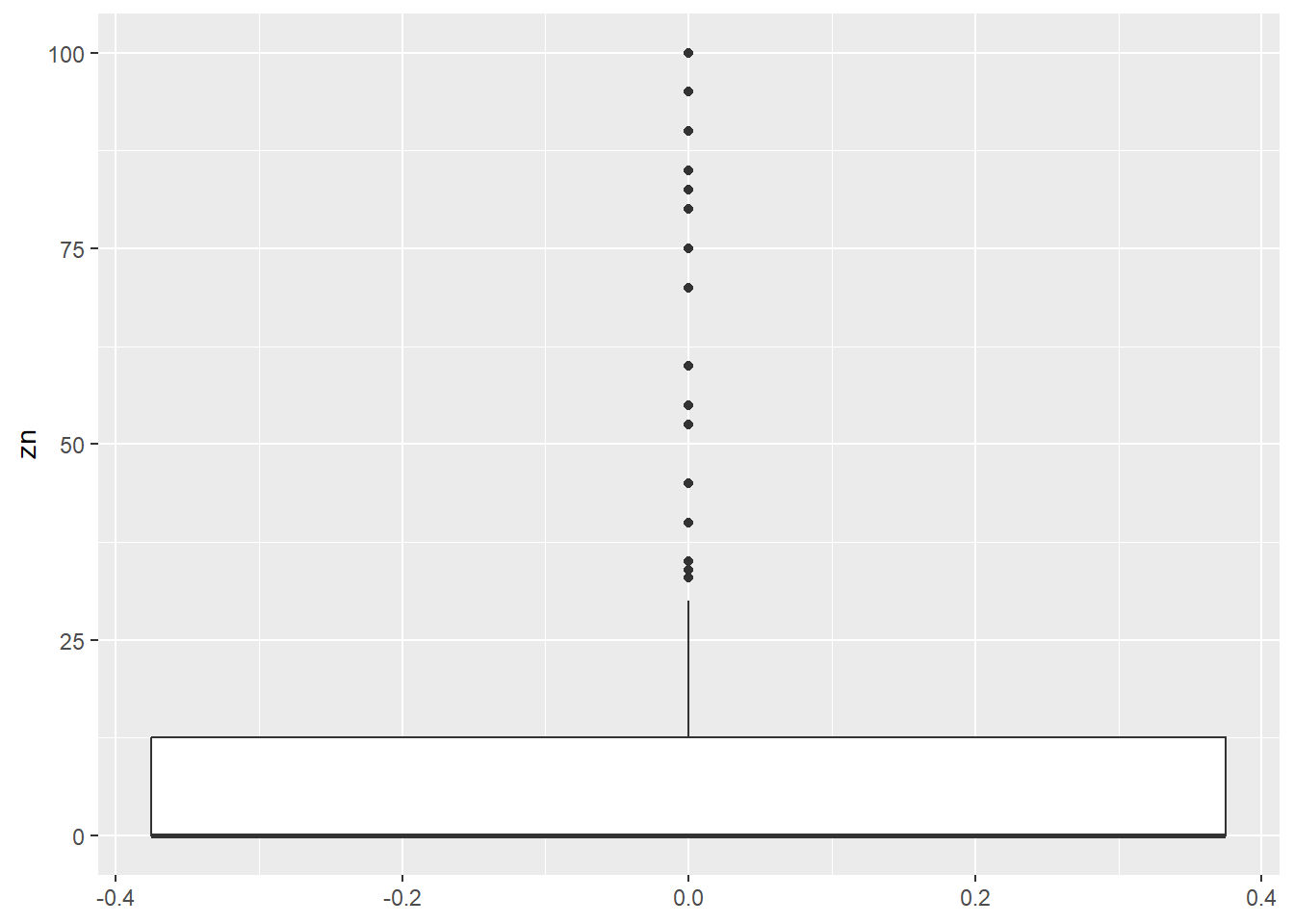
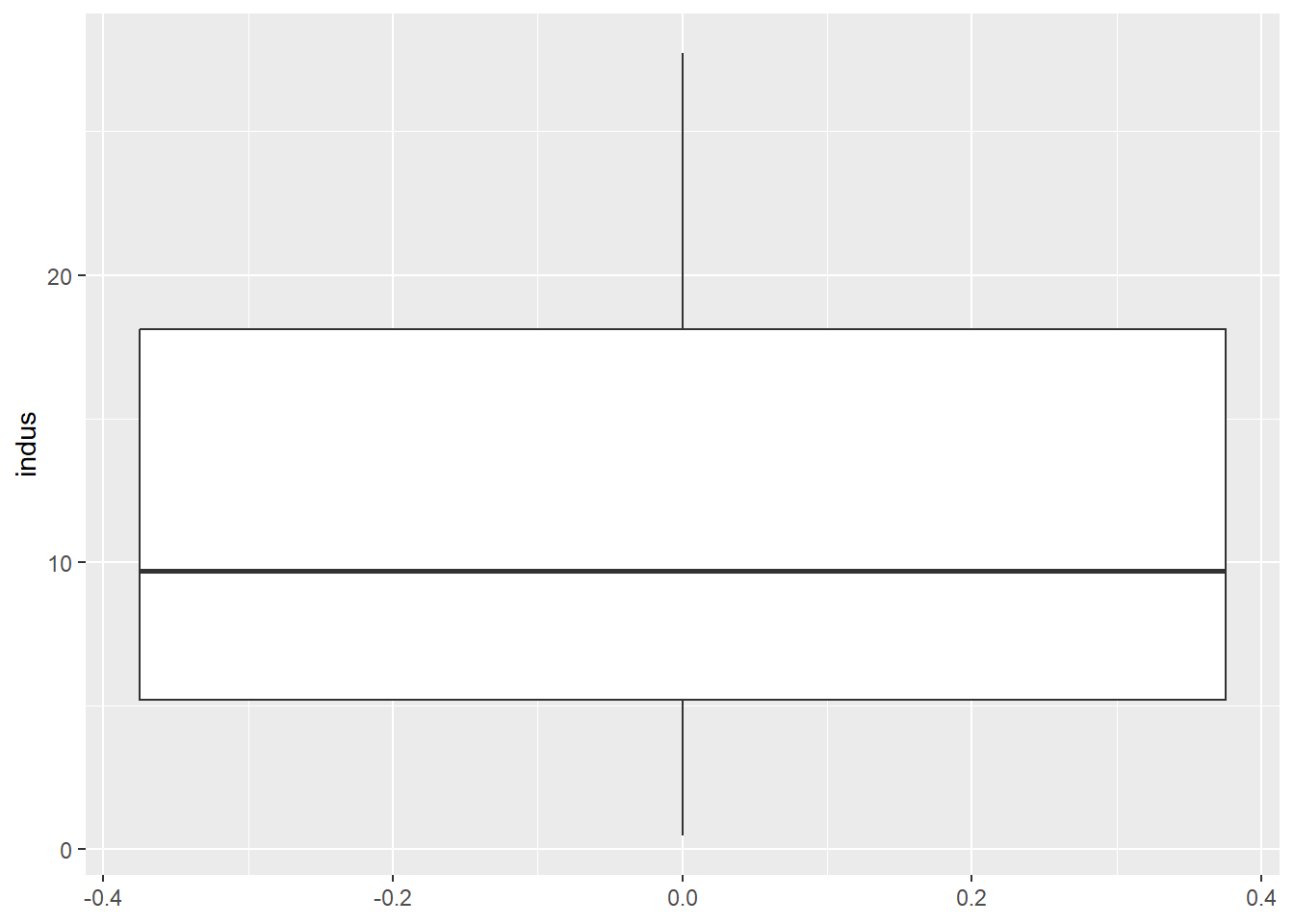
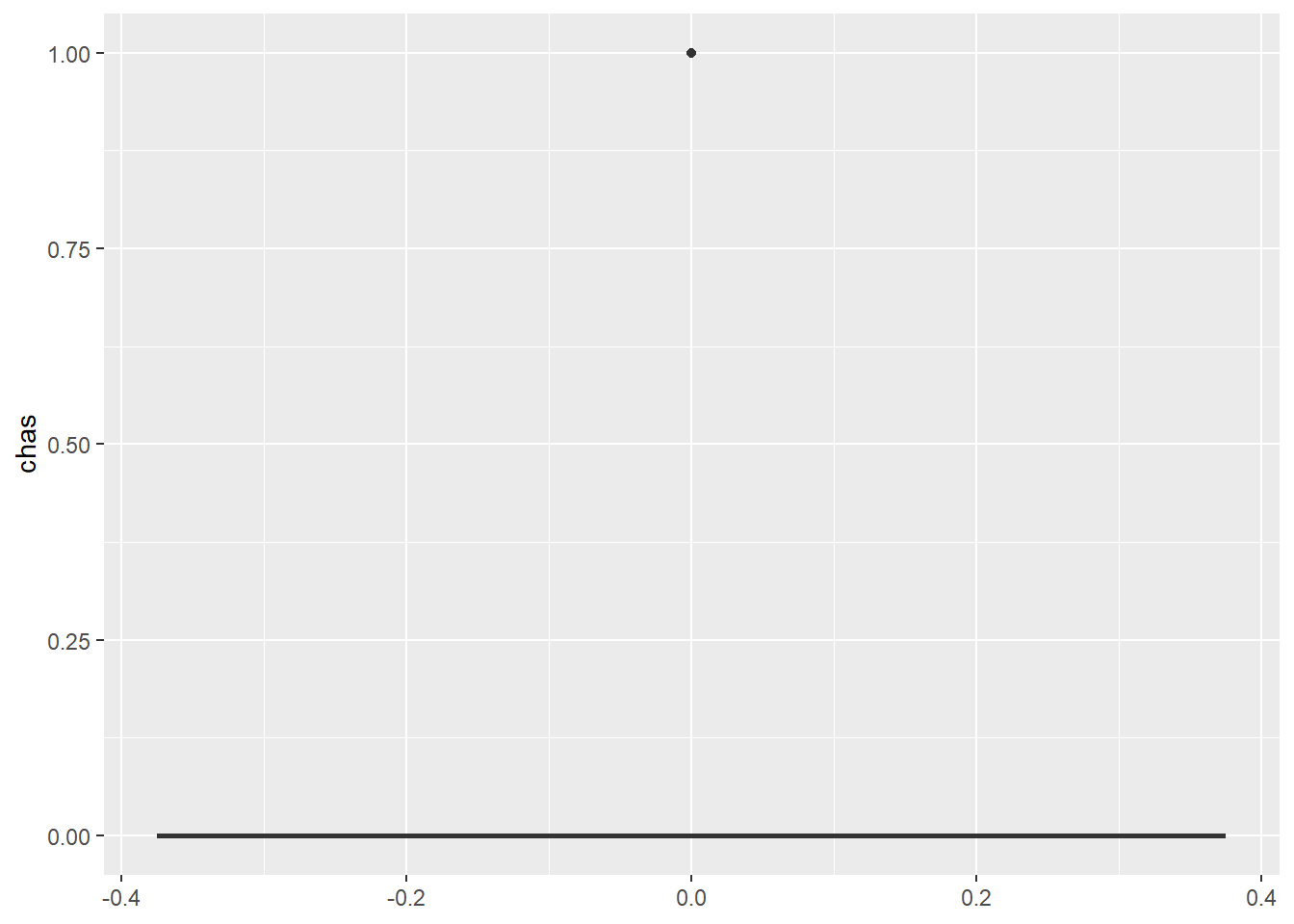
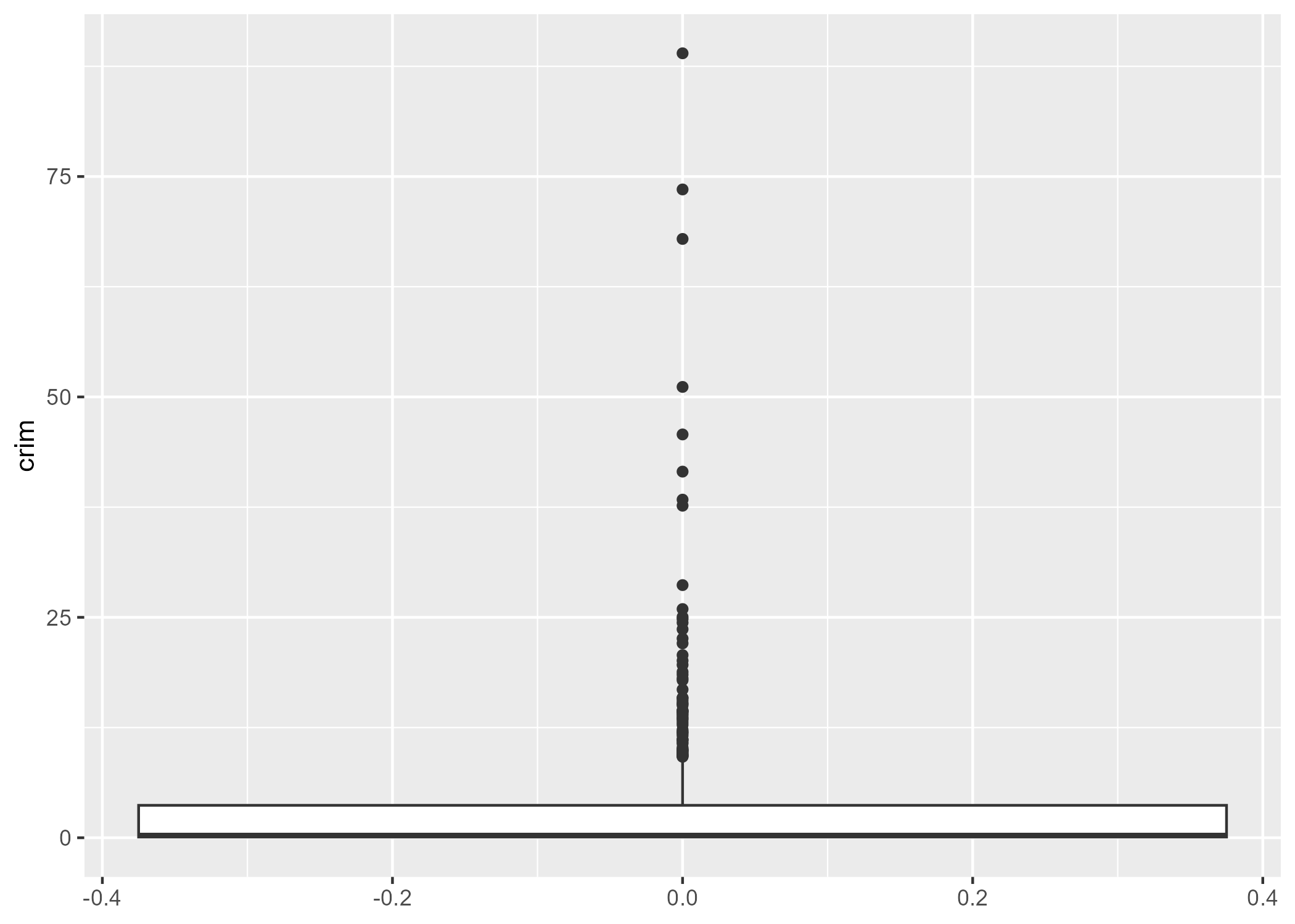
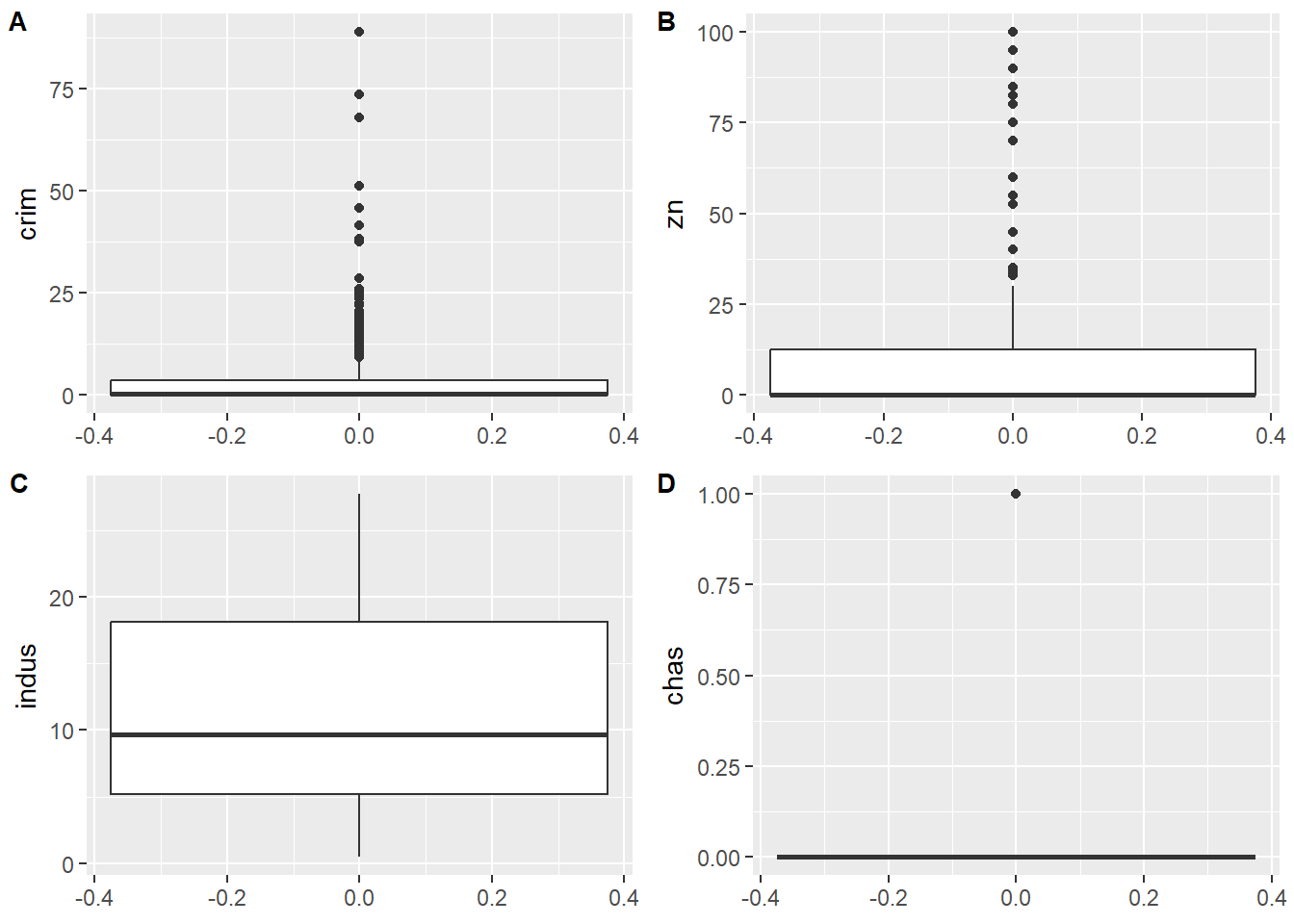
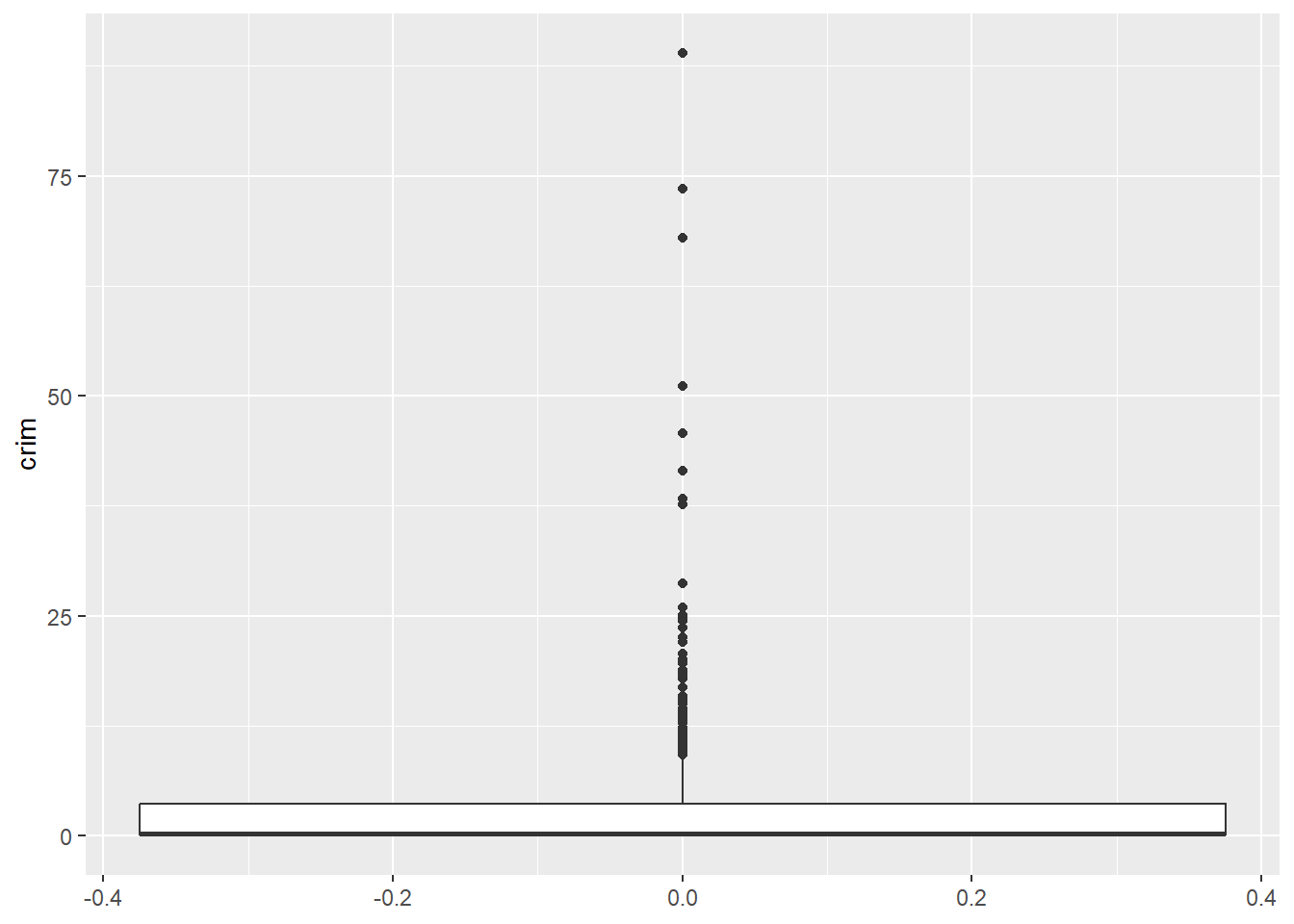
5) Did you plot univariate summaries of the data (histograms, density plots, boxplots)?

p1 = boston |>
  ggplot(aes(y = crim)) +
  geom_boxplot()

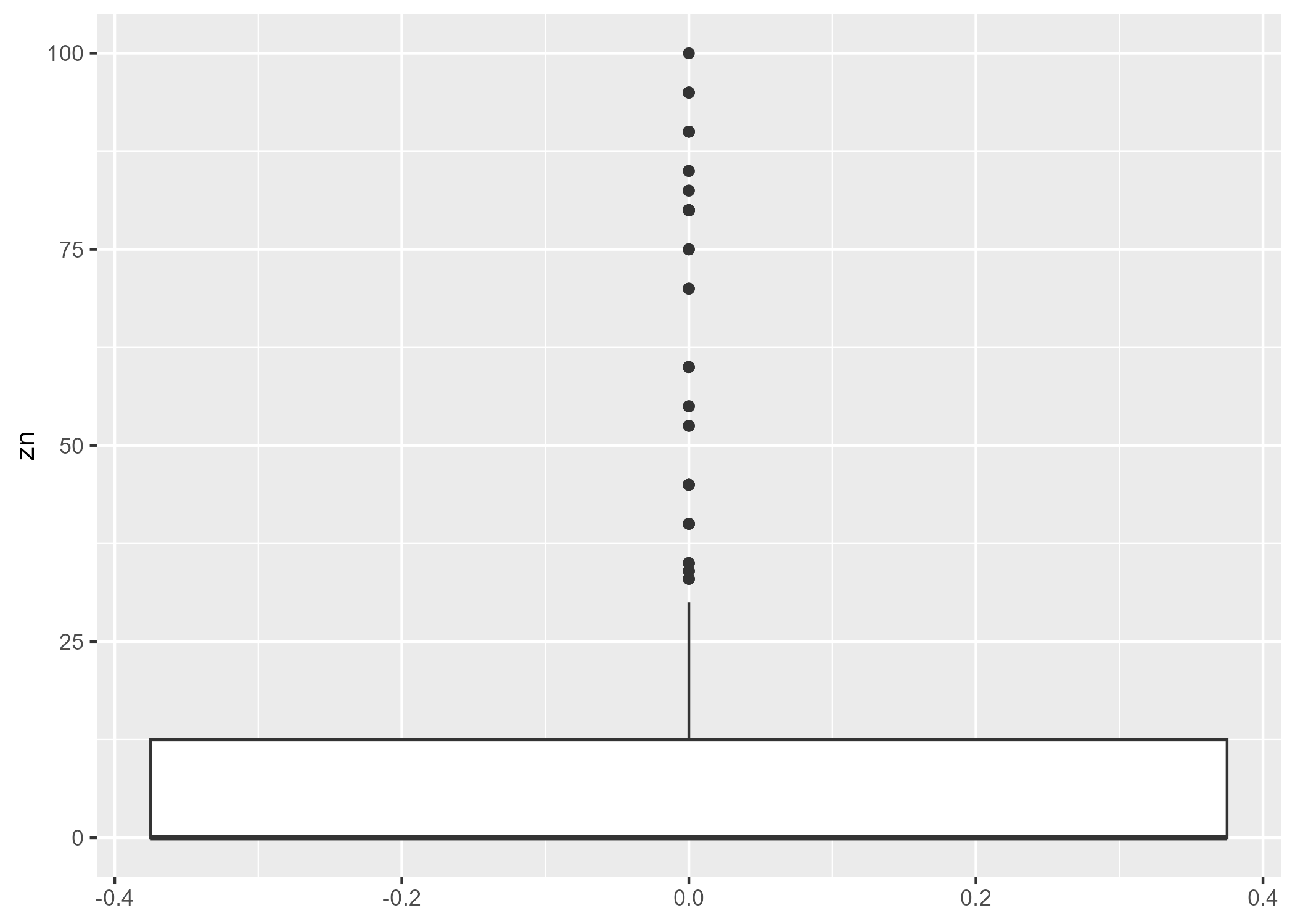
p2 = boston |>
  ggplot(aes(y = zn)) +
  geom_boxplot()

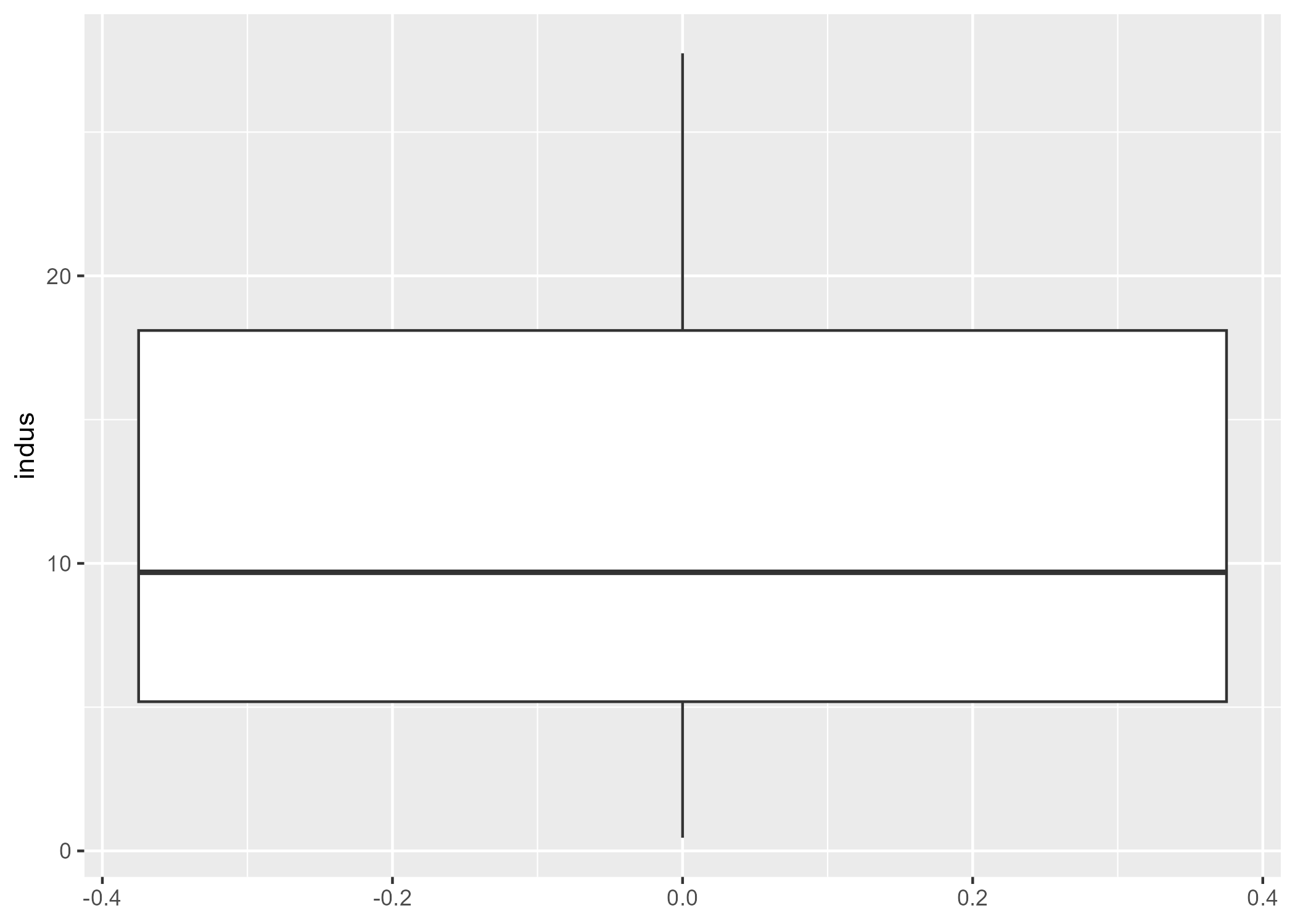
p3 = boston |>
  ggplot(aes(y = indus)) +
  geom_boxplot()

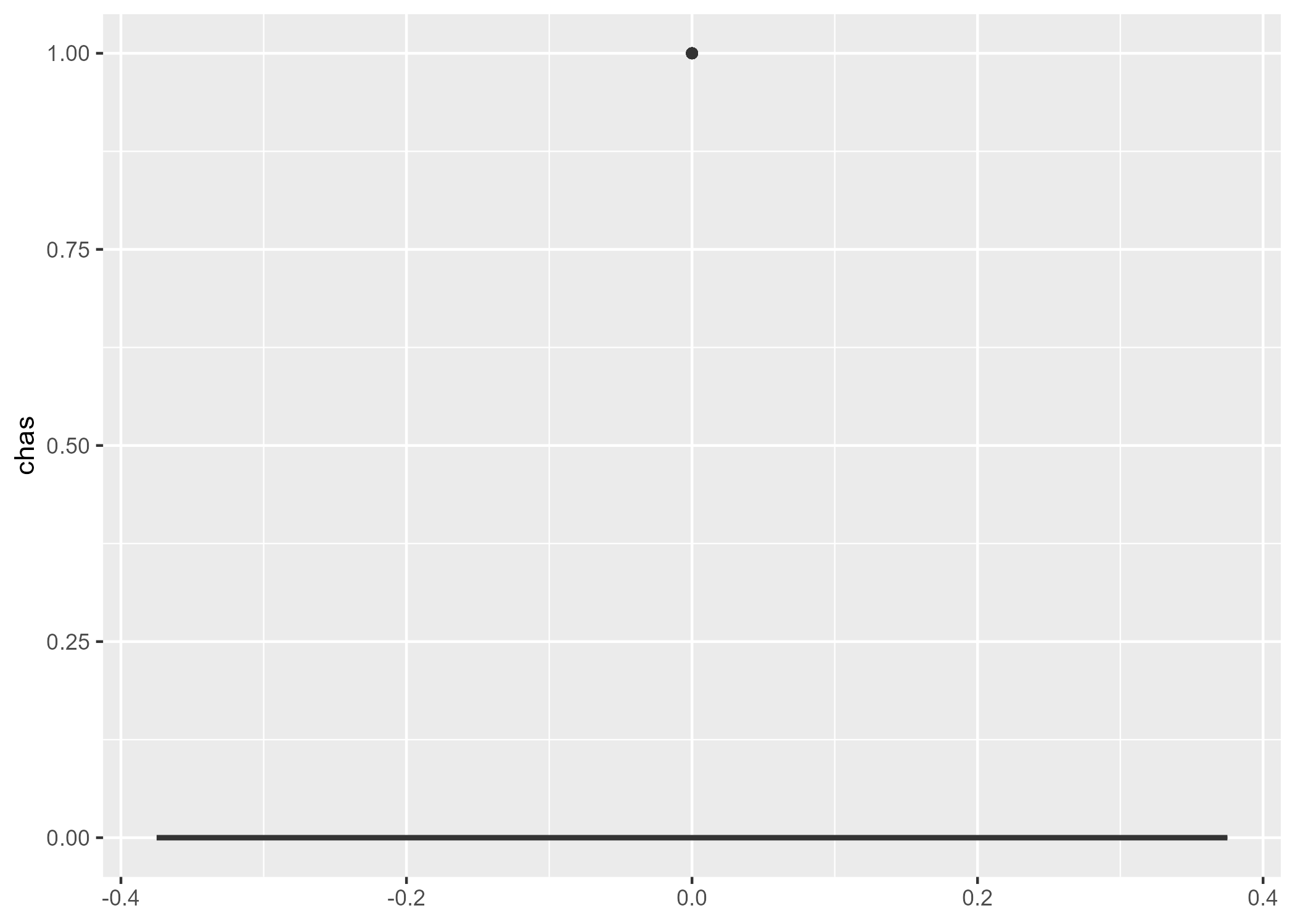
p4 = boston |>
  ggplot(aes(y = chas)) +
  geom_boxplot()

cowplot::plot_grid(p1, p2, p3, p4, labels = "AUTO", ncol = 2, nrow = 2, label_size = 10, label_x = 0)

ggsave("p1.png", plot=p1)
Saving 7 x 5 in image
ggsave("p2.png", plot=p2)
Saving 7 x 5 in image
ggsave("p3.png", plot=p3)
Saving 7 x 5 in image
ggsave("p4.png", plot=p4)
Saving 7 x 5 in image
p1
p2
p3
p4
(a) Crime
(b) Zn
(c) Indus
(d) Chas
Figure 1: Model diagnostics

Crime variable

ZN

Indus

Chas
Figure 2

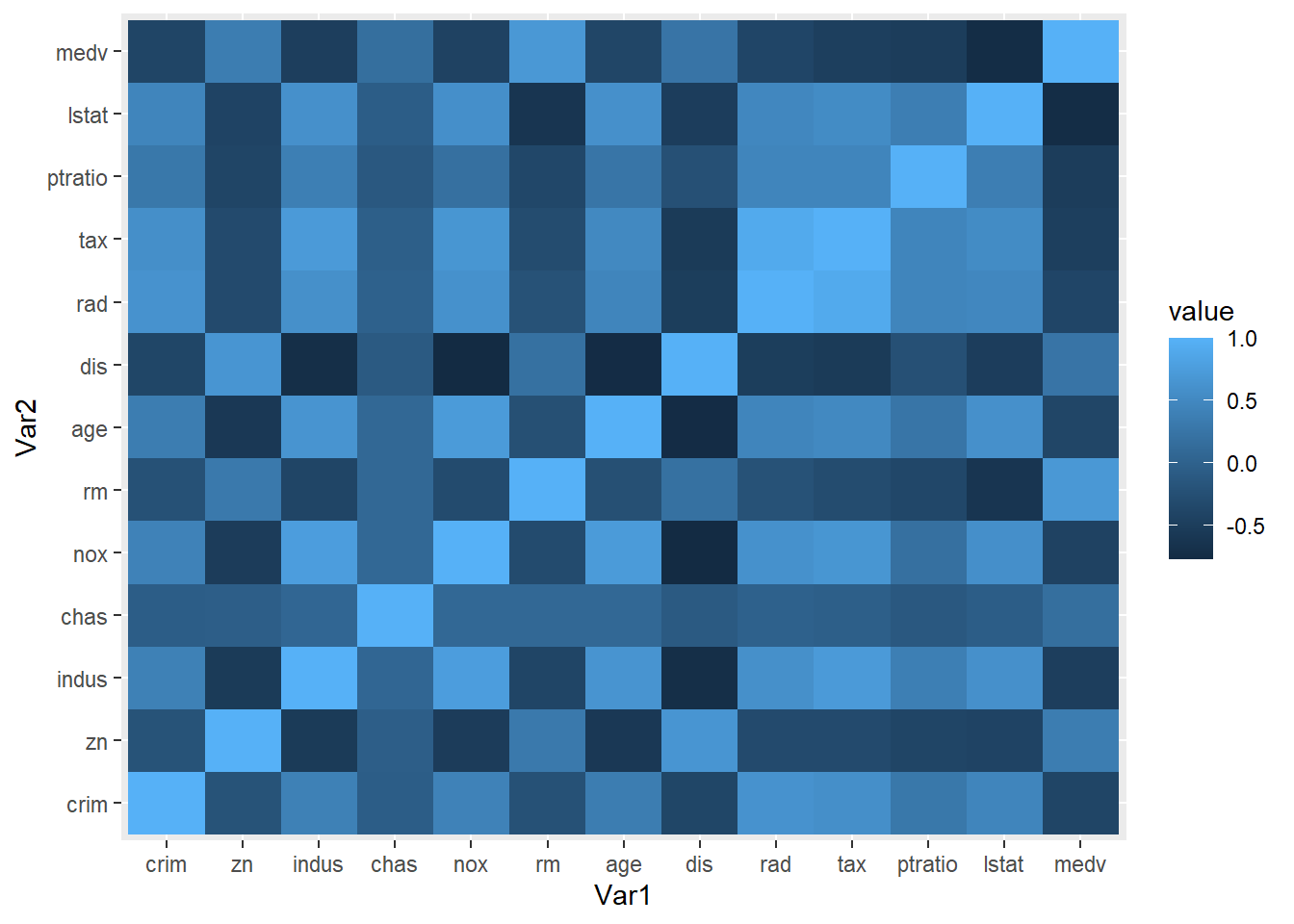
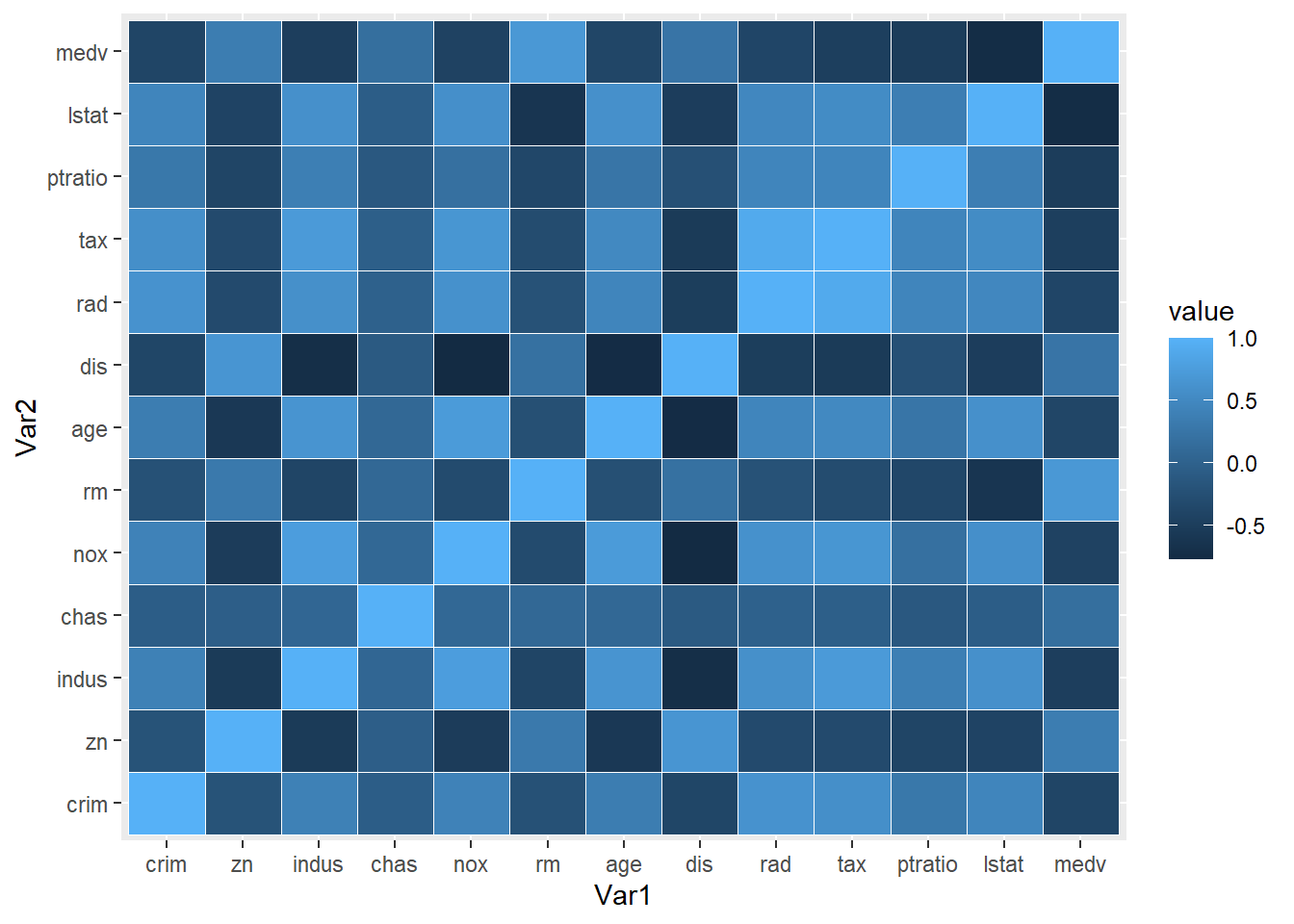
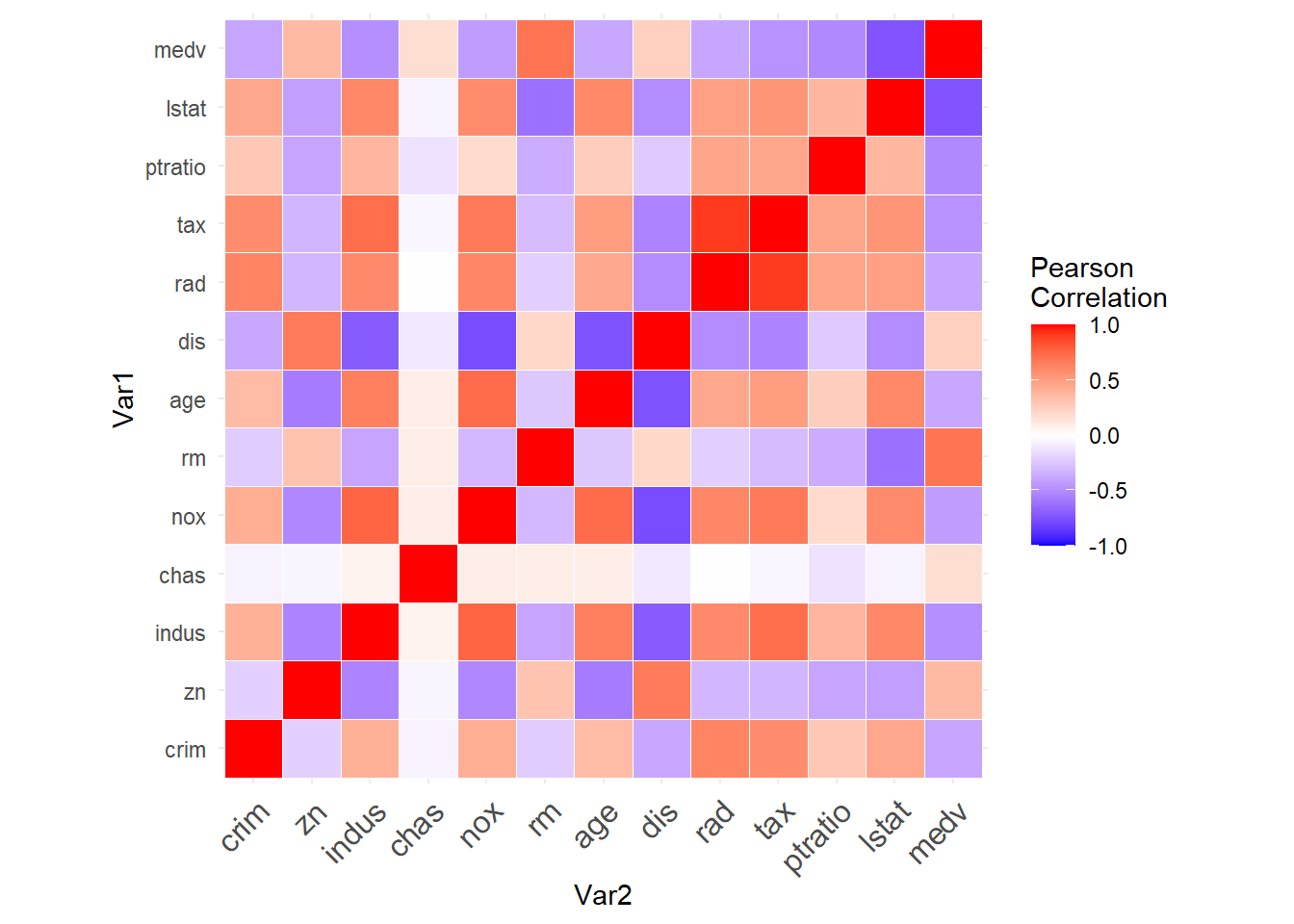
6) Did you consider correlations between variables (scatterplots)?

cormat = boston |> cor() |> round(3)
cormat
          crim     zn  indus   chas    nox     rm    age    dis    rad    tax
crim     1.000 -0.200  0.407 -0.056  0.421 -0.219  0.353 -0.380  0.626  0.583
zn      -0.200  1.000 -0.534 -0.043 -0.517  0.312 -0.570  0.664 -0.312 -0.315
indus    0.407 -0.534  1.000  0.063  0.764 -0.392  0.645 -0.708  0.595  0.721
chas    -0.056 -0.043  0.063  1.000  0.091  0.091  0.087 -0.099 -0.007 -0.036
nox      0.421 -0.517  0.764  0.091  1.000 -0.302  0.731 -0.769  0.611  0.668
rm      -0.219  0.312 -0.392  0.091 -0.302  1.000 -0.240  0.205 -0.210 -0.292
age      0.353 -0.570  0.645  0.087  0.731 -0.240  1.000 -0.748  0.456  0.506
dis     -0.380  0.664 -0.708 -0.099 -0.769  0.205 -0.748  1.000 -0.495 -0.534
rad      0.626 -0.312  0.595 -0.007  0.611 -0.210  0.456 -0.495  1.000  0.910
tax      0.583 -0.315  0.721 -0.036  0.668 -0.292  0.506 -0.534  0.910  1.000
ptratio  0.290 -0.392  0.383 -0.122  0.189 -0.356  0.262 -0.232  0.465  0.461
lstat    0.456 -0.413  0.604 -0.054  0.591 -0.614  0.602 -0.497  0.489  0.544
medv    -0.388  0.360 -0.484  0.175 -0.427  0.695 -0.377  0.250 -0.382 -0.469
        ptratio  lstat   medv
crim      0.290  0.456 -0.388
zn       -0.392 -0.413  0.360
indus     0.383  0.604 -0.484
chas     -0.122 -0.054  0.175
nox       0.189  0.591 -0.427
rm       -0.356 -0.614  0.695
age       0.262  0.602 -0.377
dis      -0.232 -0.497  0.250
rad       0.465  0.489 -0.382
tax       0.461  0.544 -0.469
ptratio   1.000  0.374 -0.508
lstat     0.374  1.000 -0.738
medv     -0.508 -0.738  1.000
cormat_longform <- melt(cormat)
head(cormat_longform)
   Var1 Var2  value
1  crim crim  1.000
2    zn crim -0.200
3 indus crim  0.407
4  chas crim -0.056
5   nox crim  0.421
6    rm crim -0.219
cormat_longform |> 
  ggplot(aes(x=Var1, y=Var2, fill=value)) + 
  geom_tile()

cormat_longform |> 
  ggplot(aes(x=Var1, y=Var2, fill=value)) + 
  geom_tile(color = "white")

cormat_longform |> 
  ggplot(aes(Var2, Var1, fill = value))+
 geom_tile(color = "white")+
 scale_fill_gradient2(low = "blue", high = "red", mid = "white", 
   midpoint = 0, limit = c(-1,1), space = "Lab", 
   name="Pearson\nCorrelation") +
  theme_minimal()+ 
 theme(axis.text.x = element_text(angle = 45, vjust = 1, 
    size = 12, hjust = 1))+
 coord_fixed()

7) Did you check for outliers?

What is an outlier? Single variable outlier or multivariate outlier? Why so important? What do we do? Throw away the samples? Man made sampling bias!

8) Did you identify missing values?

9) Did you check the units of all data points to make sure they are in the right range?

10) Did you try to identify any errors or miscoding of variables?

11) Did you consider plotting on a log scale or any other transformation? Use log transforms for ratio measurements.

12) For large data sets, subsample before plotting

13) Use color and size to check for confounding

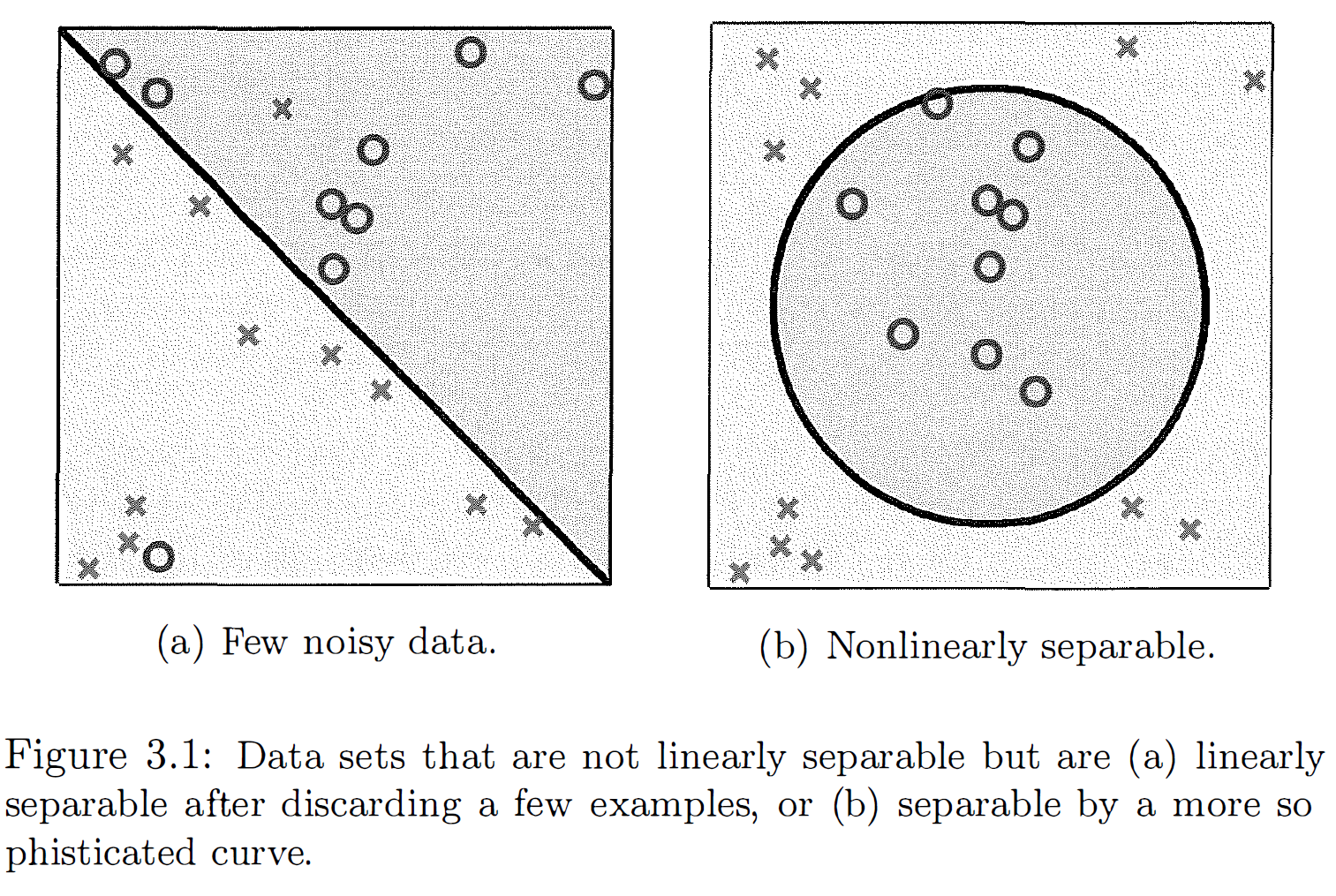
Noisy data plots (Ref: Learning from data, A short course by Yaser Abu-Mostafa et al, p.79)

Ames Dataset

Happiness Dataset

Class Exercises

Pokemon Dataset

Exercise 1

Select the first three columns of the pokemon dataset using their column names.

Exercise 2

Select all the columns of the pokemon dataset except “abilities”.

Exercise 3

Select all columns of the pokemon dataset that start with the character string “against”.

Exercise 4

Filter the rows of the pokemon dataset for against_bug \(>= 1\) and against_dark \(>= 1\).

Exercise 5

Arrange rows by a particular column, such as the against_bug.

Exercise 6

Select three columns from pokemon, arrange the rows by against_bug, then arrange the rows by against_dark.

Exercise 7

Create a new column called proportion, which is the ratio of height to weight of the pokemon.

Exercise 8

Compute the average damage that a pokemon can do against bug, apply the mean() function to the column against_bug, and call the summary value ave_against_bug. HINT: Use summarize().

Exercise 10

Obtain the same summary statistics for different types (Type1) of pokemon. HINT: Use group_by().